Claude Code · headless Chrome · read-only GitHub
Repositories in.
Interactive demos out.
Point it at a GitHub repo and it studies the real application, then builds a guided, click-through presentation your leadership can open in any browser. No screenshots pasted into slides.
One self-contained HTML file · No code is ever pushed · Private repos supported
Northwind quarterly review
- Connecting to the repository
- Fetching source code
- Inspecting the application
- Preparing the presentation brief
- Generating the HTML presentation
- Running browser verification
- Packaging the results
- Ready to explore
Built for the way demos actually get made
Every feature answers one frustration: stale screenshots, invented numbers, and decks nobody can click through.
It reads the real code
Colors, fonts, routes, charts and components are pulled from the repository, so the demo looks like your product, not a lookalike.
Progress you can trust
Stages advance only when the work really starts. No fake percentages.
Your numbers stay exact
Upload a table and every value, label and date range is kept as written.
Sandboxed by default
Each run gets its own locked-down container and a throwaway copy of the code.
Verified in a real browser, honestly
Slides, tour steps, dark mode and a narrow phone view are captured and checked. Anything that couldn't run is reported as not run, never as passed.
One repository. Four screens.
Tap through the real flow. Use the arrow keys to move between tabs.
Quarterly reporting dashboards
Technician scheduling
Shared brand tokens
Only repositories you installed the GitHub App on appear here. Access is read-only.
See what a run produces
Three real repositories, three finished demos. Open one and click around.
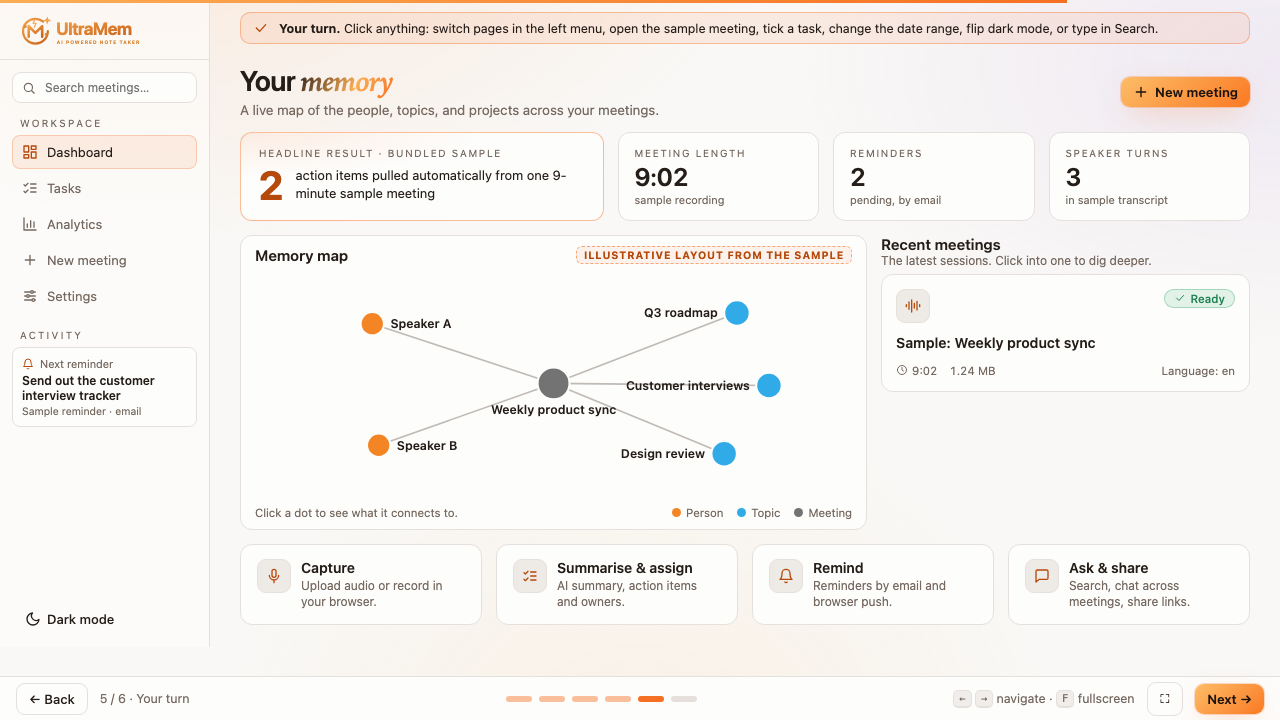
UltraMem
An AI note taker: meeting audio in, summaries, tasks and reminders out, with a memory map of the people and topics.
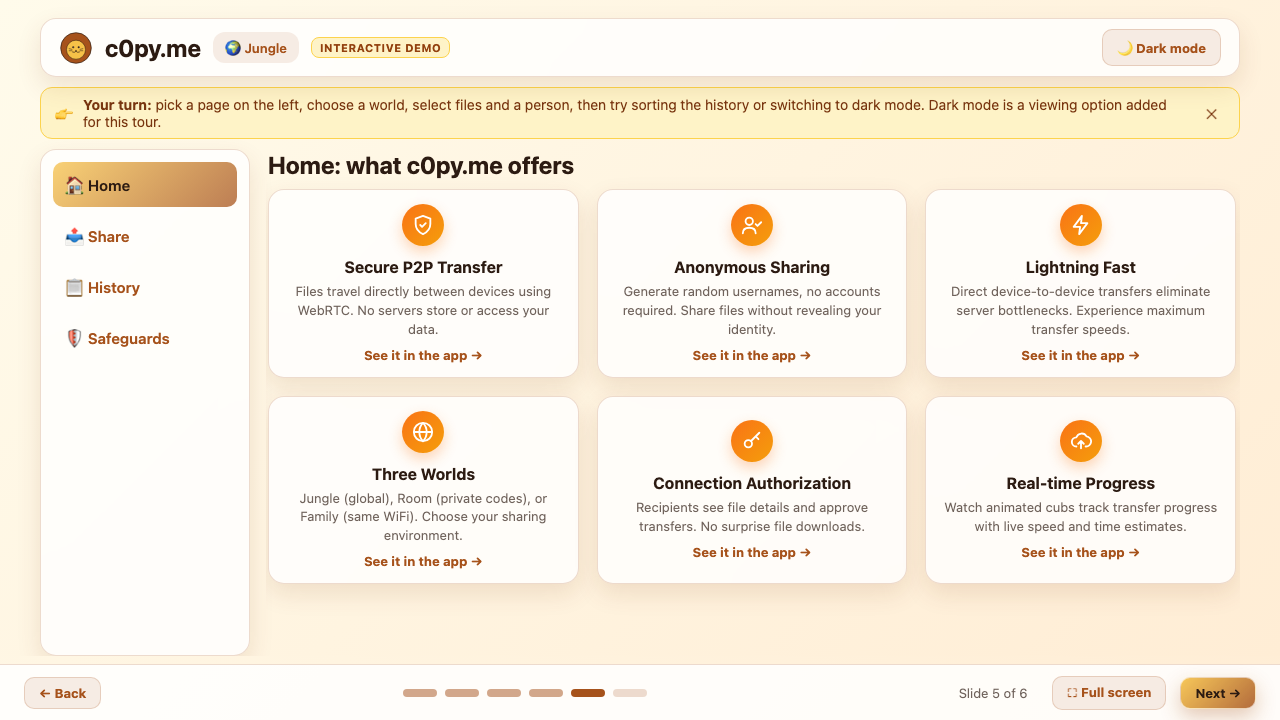
c0py.me
Anonymous peer-to-peer file sharing. Files travel straight between devices, with no accounts and nothing stored on a server.
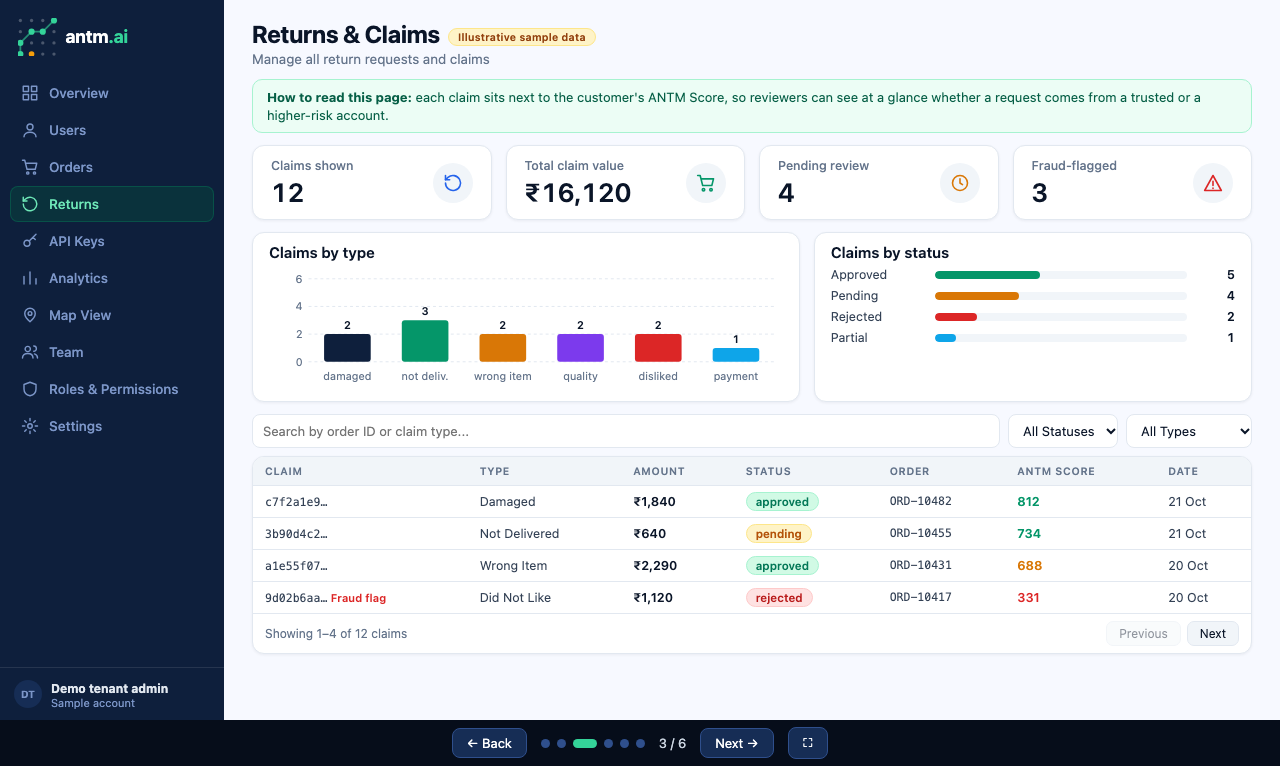
Good Returns
A returns and claims dashboard that scores every customer so reviewers can see who to trust at a glance.
How it works
- 1
Connect GitHub
Sign in and install the app on the repositories you choose. Read-only, revocable any time.
- 2
Name the demo
A title is all that's required. Add an audience, a story, or your own data if you have them.
- 3
Watch it build
Claude studies the real code, then writes the presentation while you follow each stage live.
- 4
Explore and share
Preview it in a sandbox, read the verification report, and download a single HTML file.
Made for code you can't afford to leak
Repository content is treated as untrusted input, and the agent only ever sees a scrubbed copy.
Read-only access
Contents and Metadata read permissions. No write scopes, ever.
Scrubbed before reading
Secret files and escaping symlinks are removed from the copy first.
Shell commands need your OK
Anything outside a short safe list pauses the run and asks you.
Previews can't phone home
Generated HTML is served with a strict policy and shown in a sandboxed frame.
Questions, answered
Does it change my repository?
No. The GitHub App only has read access to Contents and Metadata. Nothing is committed, pushed, or opened on GitHub, and the working copy is deleted when the run ends.
Can it see my private code and secrets?
It reads the repositories you choose. Files that look like secrets (.env, keys, credentials) are removed from the copy before Claude sees it, and the run happens in a locked-down container with no GitHub credentials.
Are the numbers in the demo real?
Every figure must trace to your data or to the repository. Anything that can't be verified is left out or labelled illustrative. If you upload a table, its values are kept exactly as written.
What does verification actually check?
Claude renders the presentation in headless Chrome and records each check as passed, failed, or not run. The result page shows that honestly, and the server separately confirms the file exists and loads nothing from the internet.
What can I upload as sample data?
CSV, JSON, text, Markdown, Excel, and PNG, JPG, WebP or GIF screenshots, up to 10 MB each. Images are inspected visually, not just read as text.
How long does a run take?
Usually a few minutes to around twenty, depending on the size of the app. You can watch each stage live, leave the page, and come back; progress is saved.
Your next review deserves a demo people can click.
Connect GitHub and have a first draft in minutes.
Start free